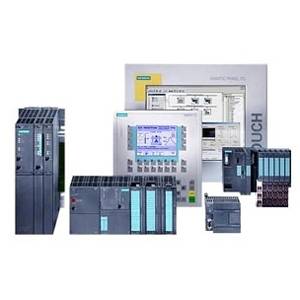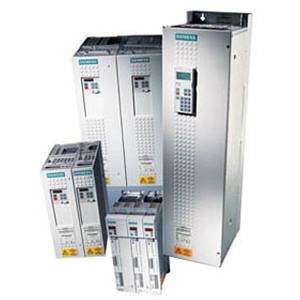






Siemens

We are a technology company focused on industry, infrastructure, transport, and healthcare. From more resource-efficient factories, resilient supply chains, and smarter buildings and grids, to cleaner and more comfortable transportation as well as advanced healthcare, we create technology with purpose adding real value for customers. By combining the real and the digital worlds, we empower our customers to transform their industries and markets, helping them to transform the everyday for billions of people.

84a2f11101a2fa95d59f4664545a0765662681f9_Siemens_Logo.png

Featured Guides


Smart Manufacturing Guide

Take the First Step on your Journey to Modernization

Smart Manufacturing, Industrie 4.0 and Connected Enterprise all sound like great ideas to most people in the engineering community, but getting started has been daunting. How do you even begin? Where do you find the time, or better yet, the funding?

Download the Guide

EECO's Industrial IoT Lab

Our hands-on smart lab in Richmond VA, helps meet the needs of modern manufacturing using state-of-the-art technologies. The Industrial IoT Lab is a hands-on discovery environment created to explore industrial networking, manufacturing software, and smart devices over EtherNet/IP.

Featured Articles

","all":"/n
/n/t/t/t/t/t/t/t/t/t/n/t/n/t
/n/t/t/t/t/t/t/t/t/tAdvantages of a Siemens Industrial PC\n\t\t\t\t\t\t\t<\/a>\n\t\t<\/h2>\n\t\t<div class=\"blog-description\">\n\t\t\t\t\t\t\tThe Siemens Industrial PC (IPC) offers flexibility in the automation world by providing different form factors for a computer that can be installed directly on a machine that lives on the plant floor. Some IPCs come with a built-in screen, which can be used as a normal computer screen, but also doubles as an HMI. The IPC has several different uses including SCADA, Software PLC, and mobile applications. There are several different product families with the IPC portfolio and all are configurable to meet the specific needs of the plant floor.\n\t\t\t\t\t<\/div>\n\t<\/div>\n<\/div>\n\n<div class=\"read-more-wraper\">\n\t\t\t<a class='read-more' href=https://eecoonline.com/brand/'//inspire//advantages-of-a-siemens-industrial-pc'>/n/t/t/tRead More &gt;<\/a>\n\t<\/div>\n","slug":"advantages-of-a-siemens-industrial-pc","view_link":"\/inspire\/advantages-of-a-siemens-industrial-pc","action_configuration":{"update":false,"delete":false}},{"id":"204","title":"How much does a SIMOCODE cost?","first_topic_name":"Automation","second_topic_name":"Siemens","description":" When we evaluate new technology cost vs impact are going to be a huge determining factor. The Siemens Motor Management system has multiple areas that should be considered when evaluating price. We break down a range of costs for base units and measurement modules as they vary greatly depending on the requirements of your application.\n","image":" <picture ><source srcset=\"\/media\/cache\/attachment\/resize\/1\/552354\/100\/100\/63b80874b3755855154318.jpg.webp\"\n type=\"image\/webp\"><img src=https://eecoonline.com/"//media//cache//attachment//resize//1//552354//100//100//63b80874b3755855154318.jpg/">","all":"/n
/n/t/t/t/t/t/t/t/t/t/n/t/n/t
/n/t/t/t/t/t/t/t/t/tHow much does a SIMOCODE cost?\n\t\t\t\t\t\t\t<\/a>\n\t\t<\/h2>\n\t\t<div class=\"blog-description\">\n\t\t\t\t\t\t\tWhen we evaluate new technology cost vs impact are going to be a huge determining factor. The Siemens Motor Management system has multiple areas that should be considered when evaluating price. We break down a range of costs for base units and measurement modules as they vary greatly depending on the requirements of your application.\n\t\t\t\t\t<\/div>\n\t<\/div>\n<\/div>\n\n<div class=\"read-more-wraper\">\n\t\t\t<a class='read-more' href=https://eecoonline.com/brand/'//inspire//how-much-does-a-simocode-cost'>/n/t/t/tRead More &gt;<\/a>\n\t<\/div>\n","slug":"how-much-does-a-simocode-cost","view_link":"\/inspire\/how-much-does-a-simocode-cost","action_configuration":{"update":false,"delete":false}},{"id":"128","title":"How to Add a PLC into TIA Portal","first_topic_name":"Automation","second_topic_name":"Siemens","description":" When wanting to add a PLC to TIA Portal, there are a few different options to consider. The version of Step 7 you have, Basic or Professional, determines which PLCs can be added to a project. Basic will only allow the S7-1200 Family, while Professional will allow the S7-1200, S7-1500, S7-300, S7-400, as well as the ET200SP 1500, and software controllers. There is the traditional way of adding in a PLC\u00a0in the\u00a0project by going through the hardware catalog and selecting the right part number based on the part number of\u00a0the\u00a0device. This can be cumbersome if the PLC is already in the cabinet or if\u00a0there are\u00a0multiple I\/O cards and other peripherals.\u00a0\n","image":" <picture ><source srcset=\"\/media\/cache\/attachment\/resize\/1\/552044\/100\/100\/63a5b720c8377348061232.jpg.webp\"\n type=\"image\/webp\"><img src=https://eecoonline.com/"//media//cache//attachment//resize//1//552044//100//100//63a5b720c8377348061232.jpg/">","all":"/n
/n/t/t/t/t/t/t/t/t/t/n/t/n/t
/n/t/t/t/t/t/t/t/t/tHow to Add a PLC into TIA Portal\n\t\t\t\t\t\t\t<\/a>\n\t\t<\/h2>\n\t\t<div class=\"blog-description\">\n\t\t\t\t\t\t\tWhen wanting to add a PLC to TIA Portal, there are a few different options to consider. The version of Step 7 you have, Basic or Professional, determines which PLCs can be added to a project. Basic will only allow the S7-1200 Family, while Professional will allow the S7-1200, S7-1500, S7-300, S7-400, as well as the ET200SP 1500, and software controllers. There is the traditional way of adding in a PLC\u00a0in the\u00a0project by going through the hardware catalog and selecting the right part number based on the part number of\u00a0the\u00a0device. This can be cumbersome if the PLC is already in the cabinet or if\u00a0there are\u00a0multiple I\/O cards and other peripherals.\u00a0\n\t\t\t\t\t<\/div>\n\t<\/div>\n<\/div>\n\n<div class=\"read-more-wraper\">\n\t\t\t<a class='read-more' href=https://eecoonline.com/brand/'//inspire//how-to-add-a-plc-into-tia-portal'>/n/t/t/tRead More &gt;<\/a>\n\t<\/div>\n","slug":"how-to-add-a-plc-into-tia-portal","view_link":"\/inspire\/how-to-add-a-plc-into-tia-portal","action_configuration":{"update":false,"delete":false}},{"id":"131","title":"How to Add a Simocode Pro Motor Management Relay in TIA Portal","first_topic_name":"Automation","second_topic_name":"Siemens","description":" The Siemens Simocode Pro Motor Management Relay is the ultimate way to provide protection, monitoring, and control over low voltage motors. Pair that with the capabilities of TIA Portal and it provides the user with a powerful platform to manage motors. Setting up a Simocode can be achieved inside TIA Portal the same way that other devices are incorporated. Inside TIA Portal, there is an optional wizard to walk the user through the commissioning process. Once inside the wizard, several options exist to define the type of application that will be utilized. These include areas such as Overload, Circuit Breaker, and type of starters.\n","image":" <picture ><source srcset=\"\/media\/cache\/attachment\/resize\/1\/551998\/100\/100\/63a5a29b81b7a772218279.png.webp\"\n type=\"image\/webp\"><img src=https://eecoonline.com/"//media//cache//attachment//resize//1//551998//100//100//63a5a29b81b7a772218279.png/">","all":"/n
/n/t/t/t/t/t/t/t/t/t/n/t/n/t
/n/t/t/t/t/t/t/t/t/tHow to Add a Simocode Pro Motor Management Relay in TIA Portal\n\t\t\t\t\t\t\t<\/a>\n\t\t<\/h2>\n\t\t<div class=\"blog-description\">\n\t\t\t\t\t\t\tThe Siemens Simocode Pro Motor Management Relay is the ultimate way to provide protection, monitoring, and control over low voltage motors. Pair that with the capabilities of TIA Portal and it provides the user with a powerful platform to manage motors. Setting up a Simocode can be achieved inside TIA Portal the same way that other devices are incorporated. Inside TIA Portal, there is an optional wizard to walk the user through the commissioning process. Once inside the wizard, several options exist to define the type of application that will be utilized. These include areas such as Overload, Circuit Breaker, and type of starters.\n\t\t\t\t\t<\/div>\n\t<\/div>\n<\/div>\n\n<div class=\"read-more-wraper\">\n\t\t\t<a class='read-more' href=https://eecoonline.com/brand/'//inspire//how-to-add-a-simocode-pro-motor-management-relay-in-tia-portal'>/n/t/t/tRead More &gt;<\/a>\n\t<\/div>\n","slug":"how-to-add-a-simocode-pro-motor-management-relay-in-tia-portal","view_link":"\/inspire\/how-to-add-a-simocode-pro-motor-management-relay-in-tia-portal","action_configuration":{"update":false,"delete":false}},{"id":"140","title":"How to Add a Soft Start","first_topic_name":"Automation","second_topic_name":"Siemens","description":" Siemens TIA Portal is a powerful platform that supports many devices outside of PLCs and HMIs. TIA Portal manages soft starts with ease.\u00a0For those that are thinking, \u201cWhy would I want to add a soft start to a project\u201d or even better, \u201cwhy should I even use a soft start in the first place?\u201d Let's take a peek behind the curtain. A soft start sometimes referred to as a reduced voltage soft start, is a device that over a set period ramps up a motor to 100 percent speed. It offers greater control over a standard across-the-line starter.\u00a0\n","image":" <picture ><source srcset=\"\/media\/cache\/attachment\/resize\/1\/552112\/100\/100\/63a62523bed36481184915.jpg.webp\"\n type=\"image\/webp\"><img src=https://eecoonline.com/"//media//cache//attachment//resize//1//552112//100//100//63a62523bed36481184915.jpg/">","all":"/n
/n/t/t/t/t/t/t/t/t/t/n/t/n/t
/n/t/t/t/t/t/t/t/t/tHow to Add a Soft Start\n\t\t\t\t\t\t\t<\/a>\n\t\t<\/h2>\n\t\t<div class=\"blog-description\">\n\t\t\t\t\t\t\tSiemens TIA Portal is a powerful platform that supports many devices outside of PLCs and HMIs. TIA Portal manages soft starts with ease.\u00a0For those that are thinking, \u201cWhy would I want to add a soft start to a project\u201d or even better, \u201cwhy should I even use a soft start in the first place?\u201d Let's take a peek behind the curtain. A soft start sometimes referred to as a reduced voltage soft start, is a device that over a set period ramps up a motor to 100 percent speed. It offers greater control over a standard across-the-line starter.\u00a0\n\t\t\t\t\t<\/div>\n\t<\/div>\n<\/div>\n\n<div class=\"read-more-wraper\">\n\t\t\t<a class='read-more' href=https://eecoonline.com/brand/'//inspire//how-to-add-a-soft-start'>/n/t/t/tRead More &gt;<\/a>\n\t<\/div>\n","slug":"how-to-add-a-soft-start","view_link":"\/inspire\/how-to-add-a-soft-start","action_configuration":{"update":false,"delete":false}},{"id":"130","title":"How to Add a VFD to Drive Software","first_topic_name":"Automation","second_topic_name":"Siemens","description":" When working with a Siemens variable frequency drive (VFD), there are a couple of different software options available for those that desire to utilize that technology. All programming can be done from the operator panel on the drive itself as it\u2019s been done since VFD\u2019s hit the industrial market. Let\u2019s evaluate how to commission the drive using Startdrive within TIA Portal. NOTE: another\u00a0software that is\u00a0available\u00a0is called Starter and it is a great standalone option.\u00a0\u00a0\n","image":" <picture ><source srcset=\"\/media\/cache\/attachment\/resize\/1\/552084\/100\/100\/63a61ddd25ad0050593147.jpg.webp\"\n type=\"image\/webp\"><img src=https://eecoonline.com/"//media//cache//attachment//resize//1//552084//100//100//63a61ddd25ad0050593147.jpg/">","all":"/n
/n/t/t/t/t/t/t/t/t/t/n/t/n/t
/n/t/t/t/t/t/t/t/t/tHow to Add a VFD to Drive Software\n\t\t\t\t\t\t\t<\/a>\n\t\t<\/h2>\n\t\t<div class=\"blog-description\">\n\t\t\t\t\t\t\tWhen working with a Siemens variable frequency drive (VFD), there are a couple of different software options available for those that desire to utilize that technology. All programming can be done from the operator panel on the drive itself as it\u2019s been done since VFD\u2019s hit the industrial market. Let\u2019s evaluate how to commission the drive using Startdrive within TIA Portal. NOTE: another\u00a0software that is\u00a0available\u00a0is called Starter and it is a great standalone option.\u00a0\u00a0\n\t\t\t\t\t<\/div>\n\t<\/div>\n<\/div>\n\n<div class=\"read-more-wraper\">\n\t\t\t<a class='read-more' href=https://eecoonline.com/brand/'//inspire//how-to-add-a-vfd-to-drive-software'>/n/t/t/tRead More &gt;<\/a>\n\t<\/div>\n","slug":"how-to-add-a-vfd-to-drive-software","view_link":"\/inspire\/how-to-add-a-vfd-to-drive-software","action_configuration":{"update":false,"delete":false}},{"id":"200","title":"How to Commission a SIMOCODE","first_topic_name":"Network & Connectivity","second_topic_name":"Siemens","description":" So you have your new Siemens Simocode Motor Management System and are excited to get it running! Have no fear as we will show you step by step on how to configure the system with success in TIA Portal. With the expansive list of options, the commissioning has lots of flexibility. Grab your motor nameplate information and get ready to add a whole new level of protection, monitoring and control with your new Simocode Motor Management system.\n","image":" <picture ><source srcset=\"\/media\/cache\/attachment\/resize\/1\/552346\/100\/100\/63b8033927010384400714.jpg.webp\"\n type=\"image\/webp\"><img src=https://eecoonline.com/"//media//cache//attachment//resize//1//552346//100//100//63b8033927010384400714.jpg/">","all":"/n
/n/t/t/t/t/t/t/t/t/t/n/t/n/t
/n/t/t/t/t/t/t/t/t/tHow to Commission a SIMOCODE\n\t\t\t\t\t\t\t<\/a>\n\t\t<\/h2>\n\t\t<div class=\"blog-description\">\n\t\t\t\t\t\t\tSo you have your new Siemens Simocode Motor Management System and are excited to get it running! Have no fear as we will show you step by step on how to configure the system with success in TIA Portal. With the expansive list of options, the commissioning has lots of flexibility. Grab your motor nameplate information and get ready to add a whole new level of protection, monitoring and control with your new Simocode Motor Management system.\n\t\t\t\t\t<\/div>\n\t<\/div>\n<\/div>\n\n<div class=\"read-more-wraper\">\n\t\t\t<a class='read-more' href=https://eecoonline.com/brand/'//inspire//how-to-commission-a-simocode'>/n/t/t/tRead More &gt;<\/a>\n\t<\/div>\n","slug":"how-to-commission-a-simocode","view_link":"\/inspire\/how-to-commission-a-simocode","action_configuration":{"update":false,"delete":false}},{"id":"127","title":"How to Configure a Network Switch in Siemens TIA Portal","first_topic_name":"Network & Connectivity","second_topic_name":"Siemens","description":" The most common way to configure a new managed network switch is within a web browser. With TIA Portal, most managed Siemens Scalance switches can be configured directly within the platform. Standard parameters can be assigned as well as assigning the switch to a specific PLC. Network switches are not added to the project in the\u00a0same manner as\u00a0PLC, HMI, VFDs are. To add a\u00a0network\u00a0switch,\u00a0the devices and networks tab must be opened.\u00a0The catalog is shown with various devices including the network switches.\u00a0The correct network switch for the project can\u00a0then\u00a0be selected and added to the view.\u00a0\n","image":" <picture ><source srcset=\"\/media\/cache\/attachment\/resize\/1\/552014\/100\/100\/63a5a69b20cc2304905027.jpg.webp\"\n type=\"image\/webp\"><img src=https://eecoonline.com/"//media//cache//attachment//resize//1//552014//100//100//63a5a69b20cc2304905027.jpg/">","all":"/n
/n/t/t/t/t/t/t/t/t/t/n/t/n/t
/n/t/t/t/t/t/t/t/t/tHow to Configure a Network Switch in Siemens TIA Portal\n\t\t\t\t\t\t\t<\/a>\n\t\t<\/h2>\n\t\t<div class=\"blog-description\">\n\t\t\t\t\t\t\tThe most common way to configure a new managed network switch is within a web browser. With TIA Portal, most managed Siemens Scalance switches can be configured directly within the platform. Standard parameters can be assigned as well as assigning the switch to a specific PLC. Network switches are not added to the project in the\u00a0same manner as\u00a0PLC, HMI, VFDs are. To add a\u00a0network\u00a0switch,\u00a0the devices and networks tab must be opened.\u00a0The catalog is shown with various devices including the network switches.\u00a0The correct network switch for the project can\u00a0then\u00a0be selected and added to the view.\u00a0\n\t\t\t\t\t<\/div>\n\t<\/div>\n<\/div>\n\n<div class=\"read-more-wraper\">\n\t\t\t<a class='read-more' href=https://eecoonline.com/brand/'//inspire//how-to-configure-a-network-switch-in-siemens-tia-portal'>/n/t/t/tRead More &gt;<\/a>\n\t<\/div>\n","slug":"how-to-configure-a-network-switch-in-siemens-tia-portal","view_link":"\/inspire\/how-to-configure-a-network-switch-in-siemens-tia-portal","action_configuration":{"update":false,"delete":false}},{"id":"199","title":"How to integrate IO Link with Rockwell\/Siemens?","first_topic_name":"Automation, Automation, Automation, Network & Connectivity, Network & Connectivity, Network & Connectivity","second_topic_name":"Siemens, Rockwell Automation, Solution Architecture, Rockwell Automation, Siemens, Solution Architecture","description":" How do you integrate it with your current automation platform. \u00a0If you are the PLC specialist yourself what follows will put your mind at ease. For those that will have to meet, present, get holes poked at and answer questions like you are on a witness stand hang in there and keep reading\u2026it\u2019s easier than you think.\n","image":" <picture ><source srcset=\"\/media\/cache\/attachment\/resize\/1\/552344\/100\/100\/63b8016a57fd4033025198.jpg.webp\"\n type=\"image\/webp\"><img src=https://eecoonline.com/"//media//cache//attachment//resize//1//552344//100//100//63b8016a57fd4033025198.jpg/">","all":"/n
/n/t/t/t/t/t/t/t/t/t/n/t/n/t
/n/t/t/t/t/t/t/t/t/tHow to integrate IO Link with Rockwell\/Siemens?\n\t\t\t\t\t\t\t<\/a>\n\t\t<\/h2>\n\t\t<div class=\"blog-description\">\n\t\t\t\t\t\t\tHow do you integrate it with your current automation platform. \u00a0If you are the PLC specialist yourself what follows will put your mind at ease. For those that will have to meet, present, get holes poked at and answer questions like you are on a witness stand hang in there and keep reading\u2026it\u2019s easier than you think.\n\t\t\t\t\t<\/div>\n\t<\/div>\n<\/div>\n\n<div class=\"read-more-wraper\">\n\t\t\t<a class='read-more' href=https://eecoonline.com/brand/'//inspire//how-to-integrate-io-link-with-rockwell-siemens'>/n/t/t/tRead More &gt;<\/a>\n\t<\/div>\n","slug":"how-to-integrate-io-link-with-rockwell-siemens","view_link":"\/inspire\/how-to-integrate-io-link-with-rockwell-siemens","action_configuration":{"update":false,"delete":false}},{"id":"201","title":"How to select YOUR SIMOCODE","first_topic_name":"Automation","second_topic_name":"Siemens","description":" Siemens Motor Management system configuration doesn\u2019t have to be intimidating. When you know where to look and how the selection tools connect, that\u2019s the key! We show you how to select the correct base, measurement, HMI and even expansion modules. There are a few nuances to configuring a functioning system that are highlighted to save that headache in the future.\n","image":" <picture ><source srcset=\"\/media\/cache\/attachment\/resize\/1\/552348\/100\/100\/63b804631a681075999520.jpg.webp\"\n type=\"image\/webp\"><img src=https://eecoonline.com/"//media//cache//attachment//resize//1//552348//100//100//63b804631a681075999520.jpg/">","all":"/n
/n/t/t/t/t/t/t/t/t/t/n/t/n/t
/n/t/t/t/t/t/t/t/t/tHow to select YOUR SIMOCODE\n\t\t\t\t\t\t\t<\/a>\n\t\t<\/h2>\n\t\t<div class=\"blog-description\">\n\t\t\t\t\t\t\tSiemens Motor Management system configuration doesn\u2019t have to be intimidating. When you know where to look and how the selection tools connect, that\u2019s the key! We show you how to select the correct base, measurement, HMI and even expansion modules. There are a few nuances to configuring a functioning system that are highlighted to save that headache in the future.\n\t\t\t\t\t<\/div>\n\t<\/div>\n<\/div>\n\n<div class=\"read-more-wraper\">\n\t\t\t<a class='read-more' href=https://eecoonline.com/brand/'//inspire//how-to-select-your-simocode'>/n/t/t/tRead More &gt;<\/a>\n\t<\/div>\n","slug":"how-to-select-your-simocode","view_link":"\/inspire\/how-to-select-your-simocode","action_configuration":{"update":false,"delete":false}}],"options":{"hideToolbar":false,"totalRecords":16,"totals":[]}},"enableFilters":true,"enableToggleFilters":true,"filterContainerSelector":"[data-grid-toolbar=\"top\"] [data-role=\"filter-container\"]","filtersStateElement":null,"enableViews":false,"showViewsInNavbar":false,"showViewsInCustomElement":false,"inputName":"cms-frontend-blog-grid","themeOptions":{"actionsDropdown":"auto","actionOptions":{"refreshAction":{"launcherOptions":{"className":"btn btn--default btn--size-s refresh-action","icon":"undo fa--no-offset","iconHideText":true}},"resetAction":{"launcherOptions":{"className":"btn btn--default btn--size-s reset-action","icon":"refresh fa--no-offset","iconHideText":true}}},"customModules":{"datagridSettingsComponent":"orofrontend\/js\/app\/views\/datagrid-settings\/frontend-datagrid-settings-view"}},"toolbarOptions":{"actionsPanel":{"className":"btn-group not-expand frontend-datagrid__panel"},"itemsCounter":{"className":"datagrid-tool"},"hideItemsCounter":false},"gridViewsOptions":[],"gridBuildersOptions":[]}" class="frontend-datagrid" >
Loading...

Featured Products